
More than an HTTP proxy
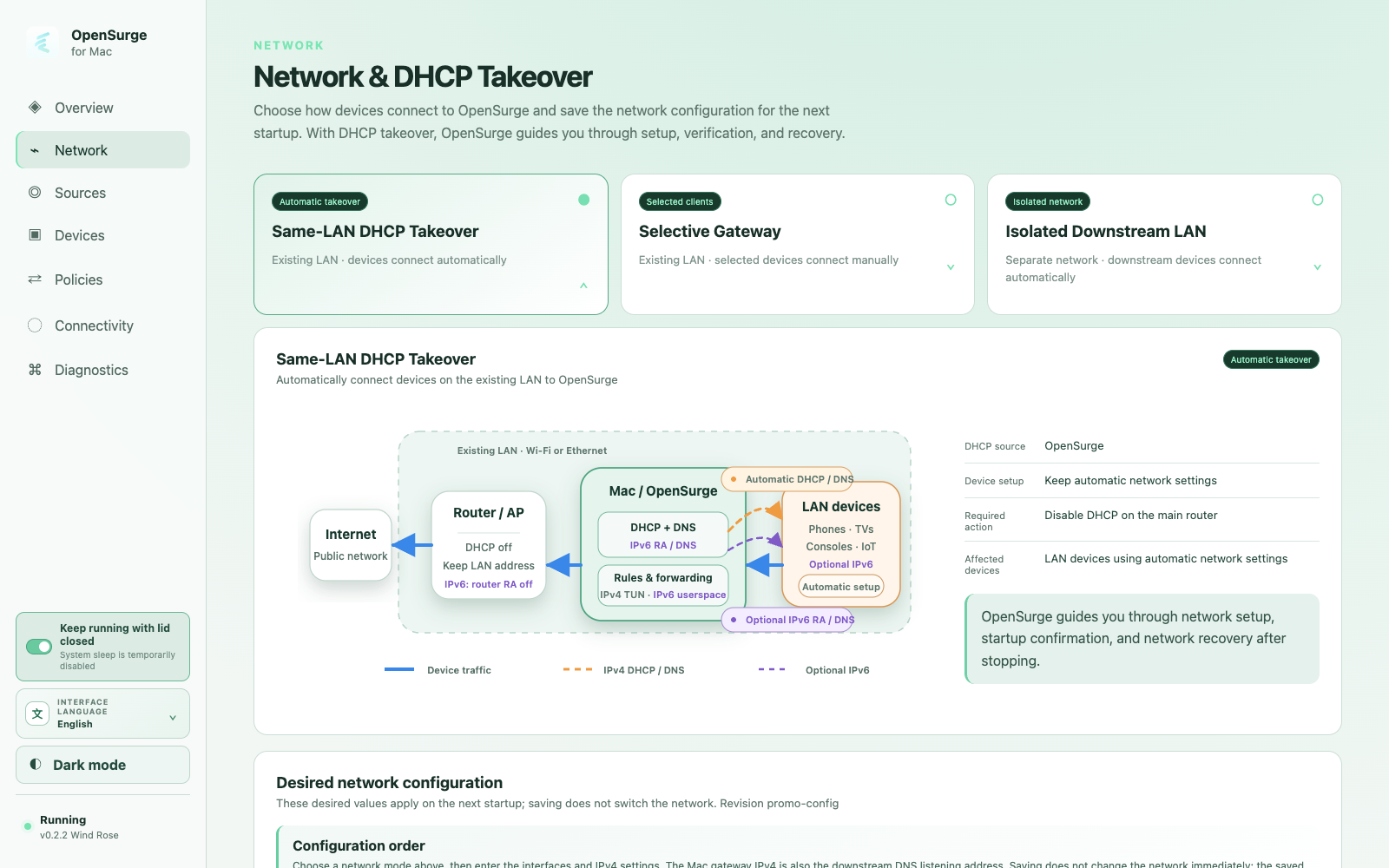
OpenSurge coordinates the pieces required for gateway operation instead of asking every device to understand a proxy protocol. dnsmasq can provide DHCP and DNS, mihomo supplies policy and proxy egress, and macOS provides IPv4 forwarding and pf NAT.
The Web GUI and menu bar app sit above those components as a control plane. They show applied state, guide recovery, and keep high-risk network changes behind explicit actions.
Choose the smallest topology that solves the problem
Most first-time users should begin with bypass-router mode. The existing router keeps DHCP enabled; only selected devices use a stable IPv4 address and point their gateway and DNS to the Mac.
- Bypass-router mode: manual onboarding for selected devices.
- LAN DHCP takeover: automatic IPv4 onboarding after the router DHCP service is disabled.
- Isolated downstream LAN: a separate AP, SSID, VLAN, or interface with OpenSurge as its gateway.
Recovery is part of the feature
Changing DHCP, forwarding, or packet-filter state can disconnect a household if it is treated like a cosmetic setting. OpenSurge records ownership, validates startup, rolls back failures, and exposes a guided stop and recovery flow.
A healthy Mac process is not the final acceptance test. A downstream client must receive or use the expected gateway and DNS, resolve names, reach HTTPS without an explicit proxy, and leave evidence in the intended TUN path.
FAQ
Questions people ask before changing the network
Do I have to disable DHCP on my router?
No. Bypass-router mode keeps router DHCP enabled and manually onboards selected devices. Router DHCP must be disabled only for LAN DHCP takeover, where OpenSurge becomes the sole DHCP server on that broadcast domain.
Does OpenSurge replace my router?
It can become the gateway for selected devices or a downstream network, but your existing router still provides the upstream internet connection unless you design a different topology.